pinv
The library has a CLI named pinv that provides access to all the basic functions of the Invest class.
It uses subcommands to access the functions of the Invest class, with the advantage of configuring a configuration file.
How to use?
pinv --help
The help command should return the following commands:
| Command | Description |
|---|---|
| --help | Help |
| config | Configuration |
| crypto | Functions of the Crypto class |
Required Configuration
If the email configuration is not done or if it is not informed with the --email parameter, the API will block all commands.
pinv config
The configuration command should search for a file named pinv.ini inside the python_invest project folder. In this file, it should look for the [api.config] field, which should contain the value of EMAIL that will be used in the configuration of Invest.
NOTE: If the file does not exist, an interaction via shell will be done to quickly configure the file.
It is also possible to use the command pinv config --help to obtain more information about the command.
Other options:
pinv config --email youremail@email.com
You can also replicate the settings from an already configured file by passing the --config-file parameter.
pinv config --config-file config.ini
The crypto command is based on the Crypto class, and it contains its main functions.
pinv crypto --help
The help command of the crypto subcommand should return the following commands:
| Command | Description |
|---|---|
| --help | Help |
| list | Lists all the cryptos that the API can handle |
| historical | Returns the historical data of a given crypto. |
All crypto commands have the following parameters:
| Parameter | Description |
|---|---|
| The API user's email.. | |
| --to-csv | Returns the data in CSV format. |
list
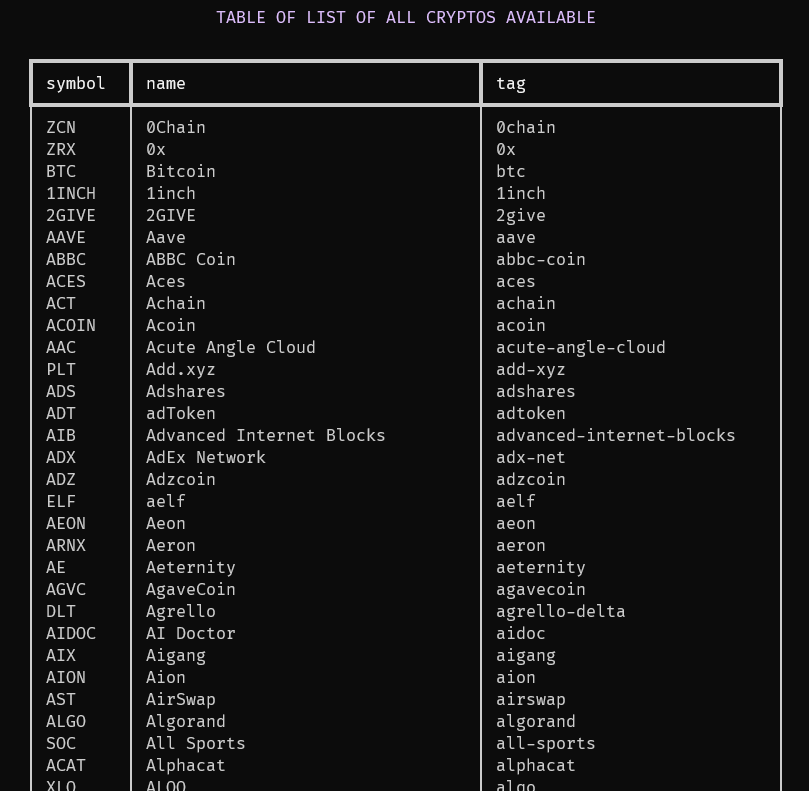
pinv crypto list
Result example:
historical
Get the historical data from crypto.
Example:
pinv crypto historical BTC
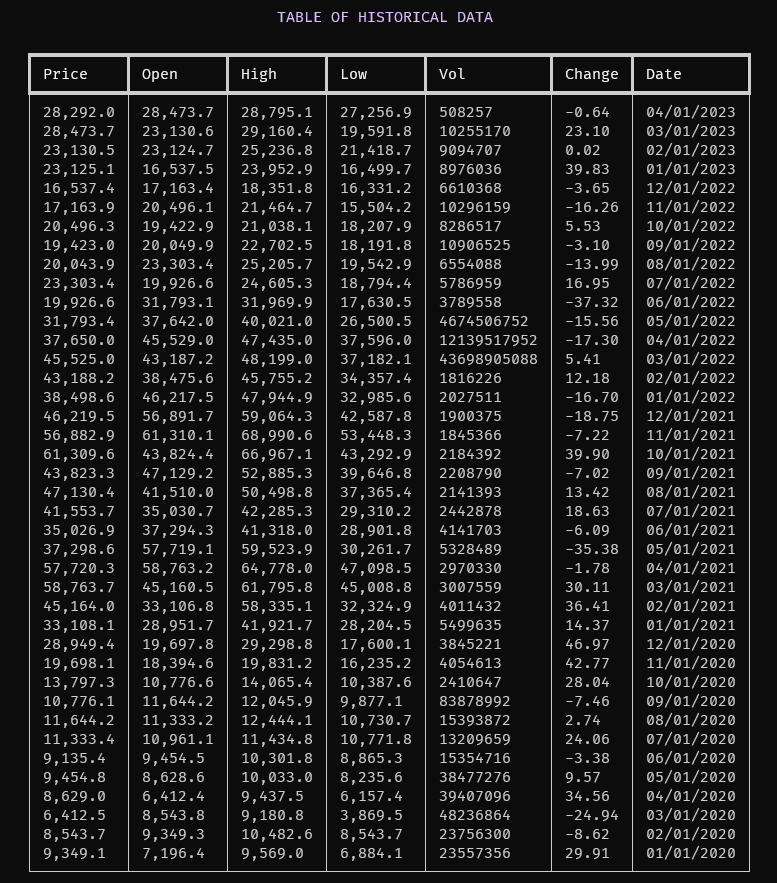
Some parameters have a default value, but you can change all parameters. For more information use the --help command.
Example with others options:
pinv crypto historical BTC --date-in '2023-01-01' --date-out '2023-04-01' --time-frame 'Monthly'
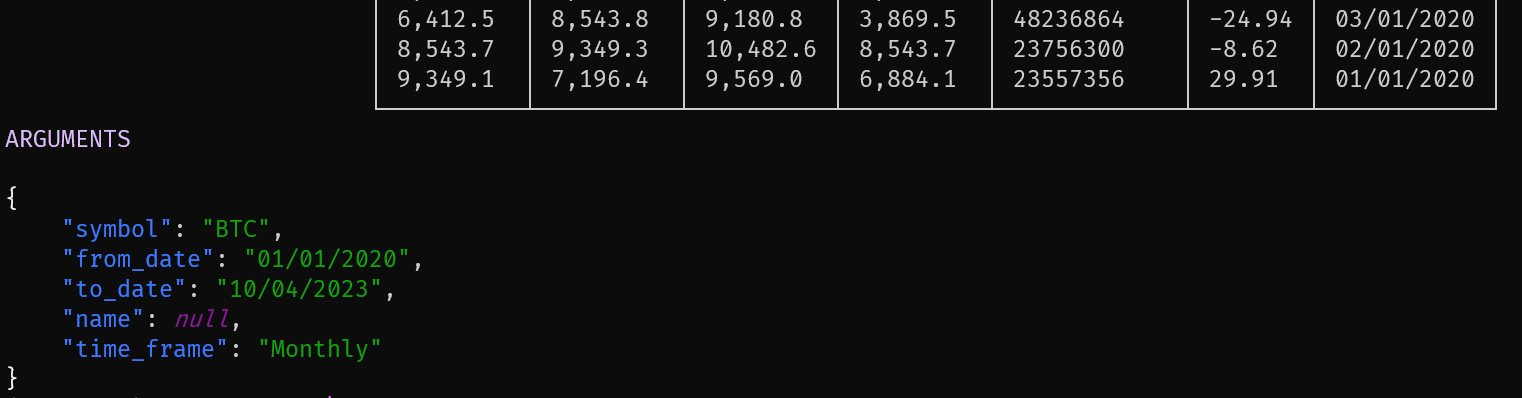
If you want to check the parameters used by the historical command, you can use the --show-args option.
pinv crypto historical BTC --show-args
If you want save the historical data in a CSV file, you can use the --to-csv option.
pinv crypto historical BTC --to-csv output.csv